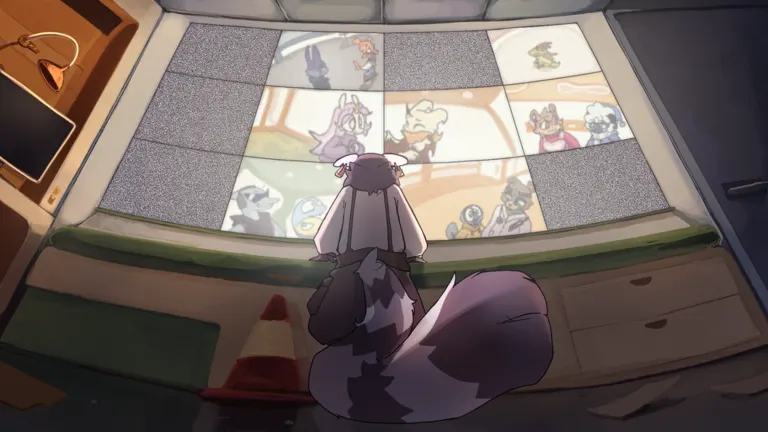
Use TierMaker’s Toon's Universe template to create and download a character ranking. Its 27 images include character icons and Infected variants, with editable S–D rows. For another option, the 14-image agents template featuring Sunny and Chekhov starts with preference-based labels.
Choose a template
These TierMaker templates differ in image count and starting labels. The dates below are the modification dates displayed on their listings.
| Template | Images | Listed modification date | Starting setup |
|---|---|---|---|
| Toon's Universe | 27 | September 15, 2026 | S–D rows; includes character icons and Infected variants |
| Toons Universe Characters | 14 | May 13, 2026 | S–D rows |
| Agents featuring Sunny and Chekhov | 14 | July 27, 2026 | Custom labels for ranking personal favorites |
The 27-image template has the largest image set among these options. Its icons include Koi, Copper, Fizzle, Nimbus, Selena, and other familiar characters, alongside images labeled as Infected versions. Image count is not a playable-agent count. Check which entries fit your ranking before arranging them.
The agents template suits a favorites list because its initial labels express enjoyment. You can rename those rows if you want to compare gameplay usefulness instead.
Build and save your ranking
On TierMaker, follow this workflow:
-
Pick a ranking purpose. Decide whether you are comparing solo usefulness, support, survival, or character designs.
-
Edit the row labels. Keep S–D or replace them with descriptions that match your purpose.
-
Move the relevant images into rows. Arrange their order within each row if you want to show finer preferences.
-
Use Save/Download. Add a title and description explaining what you ranked.
-
Download or share the finished list. Log in if you want to save it to your TierMaker profile.
For a gameplay ranking, keep ordinary agents and Infected entries in separate comparisons. A shared image pool does not mean every entry serves the same purpose.
TierMaker also allows additional image uploads. Its template pages state that those additions appear in your download but are not saved to the website. Include a date in your description so readers can tell when you made the ranking.
Give your tiers a clear meaning
A useful list explains why a character belongs in a particular row. Before placing anyone, choose one consistent question:
- Solo play: Which agents work best for the way you handle a run alone?
- Support: Which picks help you contribute to a team?
- Survival: Which characters help you stay alive most consistently?
- Favorites: Which designs or personalities do you enjoy most?
An August 1, 2026 discussion on the Toon's Universe: ROBLOX Wiki illustrates why those distinctions matter. One community reply mentions Koi and Guido and Rossum for solo play, suggests Copper and Fizzle among support options, and names Nimbus and Squiddle among survival-focused choices. These are player recommendations, so use them as ideas to test against your own experience.
Use published rankings as comparisons
If you prefer an existing arrangement to a blank template, TierBuddy’s Toon's Universe All Toons list offers a Remix option. That list, created May 14, 2026, places Koi and Guido and Rossum in S, while Nimbus and Squiddle appear in C.
Those placements and the wiki discussion emphasize different things: the published chart gives an overall ordering, while the discussion recommends characters by playstyle. Neither establishes a universal result for every player.
When sharing your own ranking, explain your criteria and leave unfamiliar characters unranked. A short explanation of your choices makes the finished chart more useful than assigning every image a tier without context.